
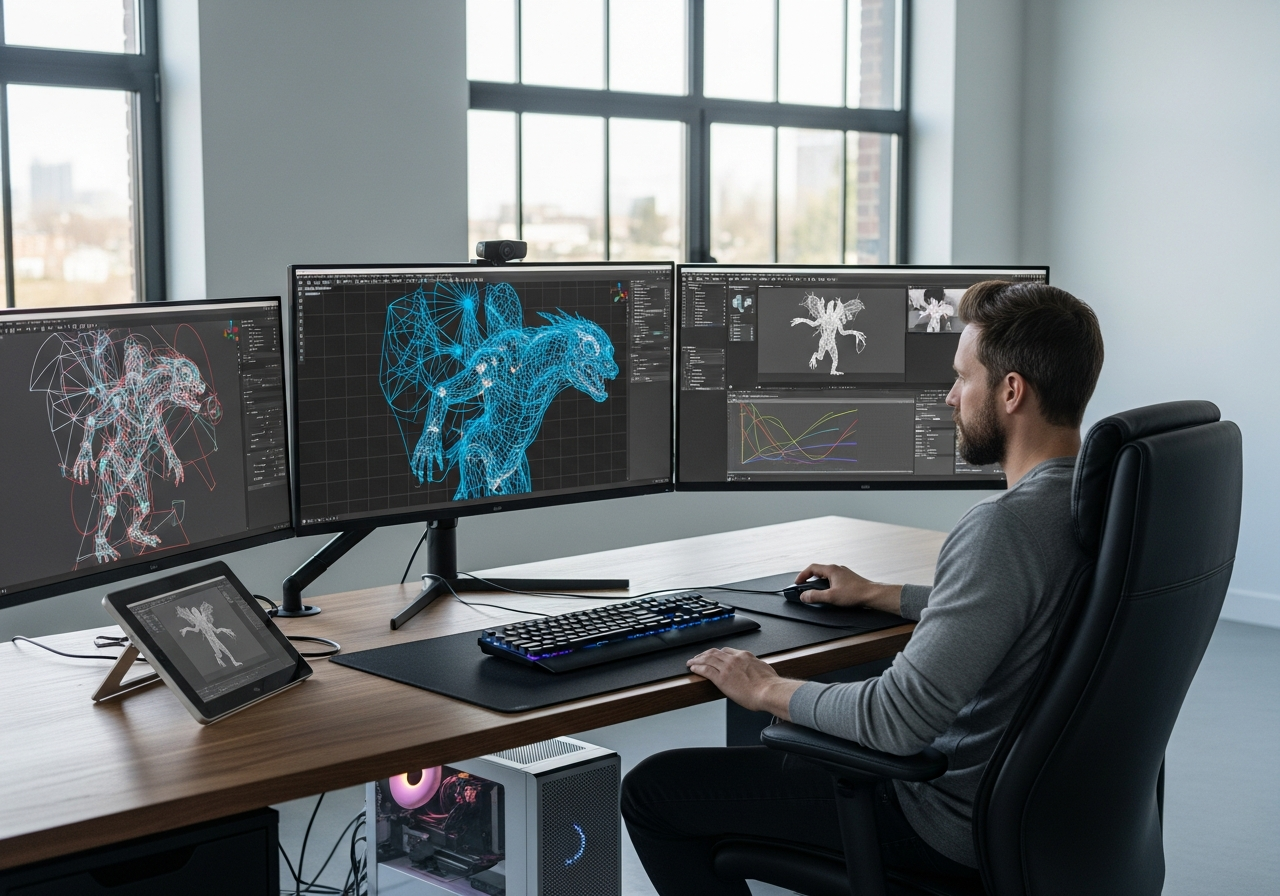
Canada has established itself as a global powerhouse in VFX, feature animation, and game development, with major studios in Vancouver, Toronto, and Montreal driving the industry forward. This concentration of talent and production makes junior Character Technical Director positions highly competitive, requiring portfolios that demonstrate both technical proficiency and production readiness.
This comprehensive guide reverse-engineers what Canadian studios actually look for in junior Character TD portfolios by analyzing real job postings, industry best practices, and hiring manager insights. We’ll explore quality benchmarks, essential portfolio components, technical skill expectations, and actionable strategies to help you build a portfolio that stands out in Canada’s competitive market. From understanding local studio nuances to avoiding common mistakes that cost interviews, this guide provides a roadmap for launching your Character TD career in Canada’s thriving animation and VFX industry.
How Canadian Studios Define a Junior Character TD
Understanding the distinction between junior Character TDs, character artists, and animators is crucial for crafting an effective portfolio. Canadian studios value technical problem-solving and robust rigging systems over pure aesthetic appeal, though anatomical understanding remains essential. Junior Character TDs in major Canadian cities can expect starting salaries ranging from $50,000-$65,000 CAD in Montreal, $55,000-$70,000 CAD in Toronto, and $60,000-$75,000 CAD in Vancouver.
Character TDs serve as the critical bridge between modeling and animation departments, ensuring seamless handoffs through the production pipeline. Their primary responsibility involves creating animation-ready rigs that maintain model integrity while providing intuitive controls for animators. Canadian studios particularly value TDs who understand production constraints and can deliver solutions that work efficiently across large teams.
The role demands a unique blend of technical expertise and artistic sensibility, as TDs must solve complex deformation challenges while maintaining character appeal. Portfolio requirements reflect this duality, emphasizing both technical demonstrations and artistic understanding in equal measure.
| Role | Core Responsibilities | Typical Tools | Portfolio Focus for Hiring |
|---|---|---|---|
| Junior Character TD | Rigging, skinning, deformation testing, pipeline integration | Maya, Python/MEL, Houdini, proprietary tools | Functional rigs, problem-solving documentation, technical breakdowns |
| Character Artist | Modeling, sculpting, texturing, asset creation | ZBrush, Maya, Substance Suite, Mari | Visual quality, anatomy, style consistency, final renders |
| Character Animator | Performance, timing, acting, shot completion | Maya, Motion Builder, proprietary animation tools | Animation quality, acting choices, shot breakdowns, demo reels |
| Rigging TD | Complex rig systems, facial setup, creature rigging | Maya, advanced scripting, custom tool development | Advanced rig features, automation tools, script samples |
| Technical Artist | Pipeline development, shader creation, optimization | Multiple DCCs, programming languages, render engines | Tool demonstrations, pipeline improvements, technical solutions |
Where Character TDs Fit in Canadian Pipelines
Character TDs occupy a pivotal position in Canadian production pipelines, serving as the technical bridge between asset creation and animation departments. Their primary responsibility involves taking completed character models and transforming them into animation-ready rigs that maintain artistic integrity while providing efficient animator workflows. This process requires deep understanding of both upstream modeling requirements and downstream animation needs.
Canadian studios prioritize TDs who can create riggable models and ensure smooth inter-department workflows. This means understanding topology requirements before modeling begins, anticipating animation needs during rig creation, and troubleshooting issues that arise during production. Studios value TDs who can communicate effectively across departments and contribute to pipeline improvements.
The role often extends beyond individual character work to include crowd systems, procedural rigging solutions, and pipeline tool development. Junior TDs who demonstrate awareness of these broader responsibilities through their portfolio work often stand out to hiring managers looking for candidates with growth potential.
Junior vs Mid-Level Character TD Expectations
Junior Character TDs are expected to demonstrate clean fundamentals rather than complex technical solutions. Canadian studios prioritize candidates who can execute basic rigging tasks reliably over those who attempt advanced techniques poorly. This means showcasing solid FK/IK setups, clean skinning, and functional facial rigs rather than experimental or cutting-edge approaches.
Mid-level TDs are expected to bring broader toolsets and deeper problem-solving capabilities, including custom script development and pipeline integration. However, for junior positions, potential matters more than extensive credits, and studios often prefer candidates who show strong foundational skills and eagerness to learn over those with impressive but poorly executed advanced work.
The key distinction lies in problem-solving approach: juniors should focus on demonstrating clear, methodical solutions to common rigging challenges, while mid-level candidates are expected to show innovation and efficiency improvements. Portfolio presentation should reflect this difference through detailed breakdowns that emphasize process over complexity.
Quality Benchmarks: How Good Is ‘Good Enough’ for Canada?
Establishing quality benchmarks for Canadian studios requires translating general industry standards into Character TD-specific contexts. Clean topology, solid anatomy understanding, and PBR workflow knowledge form the foundation, but for TDs, these must be demonstrated through functional rigging systems rather than static presentations. Canadian studios expect junior TDs to show competency in production-ready workflows rather than experimental techniques.
The typical expectation centers on 3-5 fully polished rigs rather than numerous incomplete examples. Studios prefer seeing fewer, complete projects that demonstrate the full TD pipeline from model preparation through final rig delivery. Each piece should showcase problem-solving capabilities and technical execution that would hold up under production scrutiny.
Quality assessment focuses on functionality over visual appeal, though both remain important. Rigs must deform cleanly, provide intuitive animator controls, and demonstrate understanding of animation principles. Canadian studios particularly value consistency across portfolio pieces, indicating reliable skill application rather than one-off successes.
- Collect 5-10 junior TD demo reels from recent Canadian studio hires through LinkedIn and ArtStation research
- Analyze common quality patterns: rig complexity, presentation style, breakdown depth, and technical demonstration methods
- Document specific technical standards: deformation quality, control organization, and constraint implementation approaches
- Compare your current work against these benchmarks to identify specific improvement areas
- Pinpoint gaps in your portfolio coverage, focusing on missing rig types or technical demonstrations
- Establish quality targets for each portfolio piece based on observed industry standards
- Create improvement timeline prioritizing fundamental fixes over advanced feature additions
Using Existing Junior Portfolios as Benchmarks
Studying real-world junior TD portfolios from Canadian studios provides invaluable insight into current hiring standards and industry expectations. Recent graduates and junior TDs who successfully landed positions at major Canadian studios offer the most relevant benchmarks, as their portfolios represent what actually gets hired rather than theoretical ideals.
Focus on portfolios from the last 12-18 months, as industry standards and technical expectations evolve rapidly. Pay particular attention to demonstration methods, breakdown presentation, and the balance between technical and artistic content. Note common patterns in rig complexity, documentation approaches, and presentation platforms.
Document specific technical standards you observe: typical joint counts, control hierarchies, and constraint usage patterns. This research provides concrete targets for your own work while revealing industry preferences that might not be obvious from job postings or general tutorials.
Core Components of a Junior Character TD Portfolio
A comprehensive junior Character TD portfolio requires specific components that demonstrate production readiness and technical competency. Each element serves a distinct purpose in the hiring process, allowing recruiters to evaluate different aspects of your capabilities. Canadian studios expect clear organization and easy navigation, as hiring managers often review dozens of portfolios quickly.
The portfolio must balance technical demonstrations with artistic sensibility, showing not just what you can build but how well it serves animation needs. Documentation and breakdown materials often matter as much as the rigs themselves, as they demonstrate communication skills and process understanding that prove valuable in collaborative studio environments.
Common mistakes include including incomplete work, poor documentation, or overwhelming viewers with too many mediocre pieces. Canadian studios prefer focused presentations that clearly demonstrate specific skills rather than comprehensive but shallow coverage of every possible rigging topic.
| Portfolio Element | Purpose for Recruiters | What Canadian Studios Expect to See | Common Mistakes |
|---|---|---|---|
| Demo Reel | Quick skill assessment and rig functionality overview | 90-120 seconds, best work first, clear demonstrations | Too long, weak opening, unclear demonstrations |
| Rig Breakdowns | Evaluate technical approach and problem-solving process | Clear documentation, constraint explanations, control hierarchies | Overly technical jargon, missing key information, poor organization |
| Still Images | Assess artistic quality and deformation capabilities | Multiple poses, topology overlays, control visibility | Only T-pose shots, poor lighting, cluttered compositions |
| Script Samples | Evaluate coding ability and tool development potential | Clean, commented code snippets with functionality videos | Uncommented code, overly complex examples, no demonstrations |
| Contact Information | Easy communication and follow-up coordination | Professional email, LinkedIn profile, location information | Unprofessional email addresses, missing information, outdated details |
| About Section | Understand background, interests, and career goals | Concise background, relevant skills, passion for rigging | Too long, irrelevant personal information, generic statements |
| Navigation | Efficient portfolio review and specific section access | Clear menu structure, logical organization, mobile responsiveness | Confusing layout, broken links, poor mobile experience |
How Many Characters and Rigs Should You Show?
- Include 3-5 fully completed rigs rather than numerous incomplete examples to demonstrate depth and finishing capability
- Ensure at least one biped character rig showcasing standard body mechanics and locomotion requirements
- Feature one facial rigging example with clear expression range and control organization demonstrations
- Add one non-human character (creature, vehicle, or prop) to show versatility and problem-solving adaptation
- Consider including one group or interaction rig to demonstrate understanding of multi-character workflows
- Maintain consistent quality across all pieces, as the weakest rig often defines overall portfolio perception
Showreel vs Still Portfolio: What Matters Most
Demo reels serve as the primary entry point for most hiring managers, requiring clear pacing and immediate impact to maintain viewer attention. Lead with your strongest work within the first 15 seconds, as many recruiters make initial decisions quickly. Maintain smooth transitions and avoid lengthy explanatory text that interrupts the viewing flow.
Still portfolios provide essential detail that reels cannot capture, including topology breakdowns, control hierarchies, and technical documentation. These supporting materials often determine whether a reel impression translates into an interview opportunity, as they demonstrate depth and process understanding.
Balance motion and static presentations to serve different viewing contexts. Some hiring managers prefer quick reel reviews during initial screening, while technical leads often focus on detailed breakdowns during secondary evaluation phases. Both components must work independently while reinforcing each other’s strengths.
Topology, Deformation, and Animation-Friendly Characters
Deformation-friendly topology represents a fundamental requirement for Character TD portfolios, as it directly impacts rig functionality and animator satisfaction. Canadian studios expect junior TDs to understand edge flow principles and their relationship to joint placement and skinning quality. Clean topology demonstrates technical competency while enabling the smooth deformation that animators require for effective character performance.
Presenting topology effectively requires strategic use of overlays and deformation examples that clearly communicate your understanding. Simple wireframe overlays combined with extreme pose demonstrations allow viewers to assess both technical execution and practical results. Stress test examples showing challenging poses help prove rig reliability under production conditions.
Canadian studios particularly value TDs who can articulate topology decisions and their impact on downstream workflow. Documentation should explain not just what was done, but why specific approaches were chosen and how they serve animation needs. This demonstrates the strategic thinking that separates effective TDs from purely technical riggers.
Presenting Clean Topology and Rig Readiness
- Show wireframe overlays on deformed poses to demonstrate clean edge flow and loop maintenance under stress
- Include joint area close-ups highlighting how topology supports specific deformation requirements
- Provide before/after comparisons when you’ve optimized or corrected existing topology for rigging purposes
- Document edge count and polygon density decisions, explaining how they balance quality with performance needs
- Demonstrate topology’s impact on skinning by showing weight paint visualizations alongside deformation results
- Create simple breakdown annotations explaining key topology decisions and their animation workflow benefits
- Include examples of how your topology choices enable specific rig features or animation capabilities
Rigging Skills Canadian Studios Expect at Junior Level
Essential rigging skills for junior Character TDs in Canada center on fundamental systems that form the backbone of production pipelines. FK/IK switching, clean skinning workflows, and basic facial rigging represent non-negotiable competencies that every junior candidate must demonstrate. Canadian studios expect these skills to be executed reliably rather than innovatively, prioritizing solid implementation over experimental approaches.
Constraint usage and control organization showcase understanding of animator needs and production workflows. Proper naming conventions, logical control hierarchies, and intuitive selection sets demonstrate professional pipeline awareness. These organizational skills often distinguish hireable candidates from those with purely technical abilities.
Scripting capability increasingly determines advancement potential, even for junior positions. Basic Python or MEL knowledge for repetitive tasks and simple automation shows growth mindset and efficiency awareness that Canadian studios highly value.
| Skill Area | Minimum Junior Level | How to Show It in Your Portfolio | Signals of Above-Average Potential |
|---|---|---|---|
| FK/IK Systems | Smooth switching, proper pole vectors, clean chains | Video demonstrations of switching, breakdown documentation | Custom switching solutions, advanced chain configurations |
| Skinning/Weighting | Clean deformation, logical weight distribution | Weight visualization images, extreme pose tests | Scripted weight transfer tools, advanced deformation solutions |
| Facial Rigging | Basic blend shapes, eye/jaw mechanics | Expression sheets, control demonstrations | Advanced correctives, automated lip sync systems |
| Constraint Systems | Proper constraint usage, space switching basics | Control switching videos, technical explanations | Dynamic constraint networks, automated switching |
| Control Organization | Logical hierarchies, clear naming, selection sets | Outliner screenshots, control picker interfaces | Custom GUI tools, automated control creation |
| Scripting Knowledge | Basic Python/MEL, simple automation tasks | Code snippets, tool demonstration videos | Complex tool development, pipeline integration |
| Deformation Systems | Corrective blend shapes, basic muscle systems | Before/after deformation comparisons | Advanced muscle simulation, procedural corrections |
| Pipeline Integration | Asset referencing, version control awareness | Workflow documentation, file organization examples | Custom pipeline tools, automated asset management |
Body, Facial, and Creature Rigs: Balancing Breadth and Depth
A well-rounded junior Character TD portfolio requires at least one exemplary biped rig demonstrating standard locomotion mechanics, spine systems, and limb functionality. This foundational piece proves competency with industry-standard requirements and provides a familiar reference point for evaluating technical execution quality.
Facial rigging capability increasingly determines hiring decisions, as facial animation drives character appeal in most productions. Include at least one character with comprehensive facial controls, demonstrating blend shape creation, eye mechanics, and jaw systems. Document control organization and expression range to show animator-friendly implementation.
One varied non-human rig showcases problem-solving adaptability and creative technical thinking. Whether creature, vehicle, or mechanical character, this piece should demonstrate how core rigging principles adapt to unique requirements while maintaining production pipeline compatibility.
Showing Your Problem-Solving Process
- Document initial rig requirements and technical challenges encountered during setup phase
- Explain specific solutions implemented, including alternative approaches considered and rejected
- Provide before/after examples showing problem identification and resolution results
- Include annotated screenshots or videos walking through complex constraint setups or deformation solutions
- Describe testing processes used to validate rig functionality and identify potential issues
- Show iteration examples where initial solutions were refined based on animator feedback or production needs
Scripting, Tools, and Pipeline Awareness
Pipeline scripts and automation tools increasingly distinguish competitive junior Character TD candidates in the Canadian market. Studios value TDs who can streamline repetitive tasks through simple automation, even at junior level. Common examples include auto-rigger components, weight transfer utilities, and control creation scripts that demonstrate both technical capability and production efficiency awareness.
Effective presentation requires showing script functionality through short video demonstrations combined with clean code samples. Avoid overwhelming viewers with complex code blocks; instead, focus on clear functionality explanations and practical applications. Canadian studios prefer seeing simple, well-documented solutions over complex but poorly explained systems.
- Auto-rigging components for standard joint chains, demonstrating understanding of procedural rig creation
- Weight transfer and skinning utilities that speed up repetitive weighting tasks
- Control creation scripts that maintain consistent naming and organization standards
- Selection set automation tools that improve animator workflow efficiency
- Simple constraint setup utilities for common rigging patterns and configurations
- Asset validation scripts that check rig integrity and naming convention compliance
- Export/import utilities for moving rigs between different pipeline stages or software packages
How Much Code Should You Show Publicly?
Showcase scripting ability through small, clear code snippets that demonstrate problem-solving approach rather than comprehensive tool development. Focus on well-commented examples that explain both functionality and implementation reasoning. This approach protects proprietary techniques while proving coding competency to potential employers.
Video demonstrations of script functionality often prove more valuable than extensive code samples, as they show practical application and user interface design thinking. Combine brief code previews with clear functionality videos to create compelling technical demonstrations.
Consider creating simple, generic tools specifically for portfolio demonstration rather than showing complex proprietary work. This allows complete transparency while highlighting your development approach and coding standards without revealing sensitive studio techniques or intellectual property.
Artistic Fundamentals: What Still Matters for a Character TD
Artistic fundamentals remain crucial for Character TDs despite the technical nature of the role, as understanding anatomy, silhouette, and pose directly impacts rig design and deformation quality. Canadian studios expect TDs to recognize when deformation fails artistically and possess the visual skills to correct problems. This artistic awareness distinguishes effective TDs from purely technical riggers.
Demonstrating artistic fundamentals through deformation tests and rig poses proves that your technical solutions serve artistic goals. Portfolio presentation should mirror character artist standards when showing rig functionality, emphasizing clear silhouettes, appealing poses, and anatomically correct deformation.
| Artistic Skill Area | Why It Matters for TDs | How to Demonstrate It | Risk If Missing |
|---|---|---|---|
| Anatomy Knowledge | Enables proper joint placement and muscle deformation understanding | Accurate joint positioning, realistic muscle bulge corrections | Unrealistic deformation, poor joint placement, animator frustration |
| Silhouette Awareness | Critical for pose testing and deformation evaluation | Clear, readable poses in rig demonstrations | Muddy poses, unclear rig capabilities, poor presentation |
| Posing Principles | Essential for effective rig testing and demonstration | Dynamic, appealing poses that showcase rig range | Stiff demonstrations, limited range testing, poor showcase |
| Proportion Sense | Helps identify deformation problems and scaling issues | Consistent proportions across extreme poses | Distorted characters, scaling problems, visual inconsistency |
| Appeal Understanding | Ensures technical solutions maintain character attractiveness | Appealing character presentations, attractive deformation | Unappealing rigs, technical focus over artistic quality |
| Color and Lighting | Improves portfolio presentation and rig showcase quality | Well-lit portfolio images, clear visual hierarchy | Poor presentation quality, unclear demonstrations |
Anatomy, Silhouette, and Pose in Deformation Tests
- Create extreme bend poses that test joint areas while maintaining anatomically plausible proportions and muscle relationships
- Demonstrate clear silhouette readability across your pose range, ensuring rig functionality doesn’t compromise character appeal
- Show range-of-motion testing through poses that explore joint limits while respecting biological movement constraints
- Include muscle bulge and compression examples that demonstrate understanding of how anatomy changes during movement
- Test facial deformation through expression ranges that maintain character appeal while showing technical capability
- Document pose choices and their relationship to common animation requirements or character performance needs
Original vs Fan Characters in a TD Portfolio
Original character designs generally serve junior TD portfolios better than fan art recreations, as they demonstrate creative problem-solving without the constraint of matching existing designs. Original work allows you to make topology and design decisions that optimize for rigging requirements rather than forcing technical solutions onto unsuitable designs.
However, fan characters can work effectively if you add significant technical innovation or solve rigging challenges not present in the original work. The key lies in demonstrating your technical contribution rather than simply recreating existing designs.
Consider hybrid approaches where you use recognizable character archetypes but create original designs that showcase specific rigging capabilities. This approach provides familiar reference points for viewers while demonstrating your unique technical and artistic contributions to the character development process.
Structuring Your Demo Reel and Online Portfolio
Demo reel structure determines first impressions and often decides whether hiring managers continue reviewing your work. Canadian studios prefer concise presentations that lead with strongest material and maintain steady pacing throughout. The opening 15 seconds must immediately demonstrate competency and capture attention in a crowded applicant pool.
Online portfolio platforms should prioritize clarity and accessibility over flashy design elements. ArtStation remains the industry standard for Canadian studios, providing familiar navigation and reliable hosting that hiring managers trust. Clean presentation with obvious contact information and intuitive organization helps busy recruiters quickly assess your work.
- Open with your absolute best rig demonstration within the first 10-15 seconds to capture immediate attention
- Maintain 90-120 second total length, as Canadian hiring managers prefer concise presentations over comprehensive showcases
- Organize content by rig type (biped, facial, creature) rather than chronological order to highlight skill range
- Include brief technical callouts or annotations that explain key features without overwhelming the viewing experience
- End with clear contact information and portfolio website URL, ensuring viewers can easily follow up
- Test reel playback across different devices and platforms to ensure consistent quality and accessibility
- Create backup versions for different platforms (Vimeo, YouTube) to prevent access issues during review periods
Supporting Pages: About, Contact, and Breakdown Sections
Breakdown pages build trust and demonstrate process understanding that distinguishes professional-ready candidates from students. These supporting materials often determine interview decisions after initial reel screening, as they reveal depth of knowledge and communication skills that prove valuable in collaborative studio environments.
Contact information should be prominently displayed and professionally formatted, including location information relevant to Canadian studios considering remote or relocation candidates. Clear communication about availability, work authorization, and geographic preferences helps streamline the hiring process.
About sections should focus on rigging passion and technical interests rather than personal background, providing hiring managers with insight into motivation and career direction. Keep content concise and professionally relevant while showing personality that suggests good team fit.
Tailoring Your Portfolio to Canadian Studios and Cities
Canadian studio expectations vary significantly by city and industry focus, requiring strategic portfolio customization for maximum impact. Vancouver’s film-focused market emphasizes photoreal characters and complex deformation systems, while Toronto’s diverse TV and game studios value versatility and rapid iteration capabilities. Montreal’s game-heavy industry prioritizes stylized characters and performance optimization.
Research specific studio pipelines and recent project types to understand technical preferences and aesthetic standards. Major film studios expect different demonstration methods than indie game developers, and tailoring your presentation approach shows industry awareness that hiring managers value.
Consider creating multiple portfolio versions that emphasize different strengths for different studio types. Game studios might prefer seeing optimization examples and performance considerations, while film studios focus on deformation quality and photoreal results. This targeted approach increases relevance and demonstrates professional awareness.
Researching Canadian Studio Expectations Effectively
- Analyze recent job postings from target studios to identify specific software requirements and technical preferences
- Study credit lists from recent Canadian productions to understand pipeline complexity and team structure
- Follow Canadian TD artists on social media and professional networks to observe portfolio trends and industry discussions
- Attend Canadian industry events (virtual or in-person) to network and gain insider perspective on hiring priorities
- Research studio-specific technical requirements through public presentations, blog posts, and technical papers
- Connect with recent graduates who landed Canadian studio positions to understand current hiring landscape
Remote, Hybrid, and On-Site: Does It Change Your Portfolio?
Remote work opportunities increasingly influence portfolio requirements, with Canadian studios expecting enhanced documentation and communication materials from distributed team members. Clear breakdown pages and detailed technical documentation become more critical when direct collaboration isn’t possible.
Hybrid work models emphasize portfolio accessibility and cross-platform compatibility, as reviews might happen across various devices and network conditions. Ensure your portfolio performs well under different technical constraints and provides consistent experience regardless of viewing method.
On-site positions still dominate senior Character TD roles, but junior positions increasingly offer remote flexibility. Portfolio presentation should account for both scenarios, providing depth for remote evaluation while maintaining visual impact for in-person presentations during interview processes.
Common Portfolio Mistakes That Cost Juniors Interviews
Portfolio mistakes often stem from misunderstanding what hiring managers actually evaluate during review processes. Canadian studios focus on production readiness over artistic impression, yet many junior portfolios emphasize visual appeal while neglecting functional demonstration. The weakest piece in your portfolio often defines overall perception, making curation more important than volume.
Technical demonstrations frequently suffer from poor presentation that obscures actual capability. Messy breakdowns, unclear video demonstrations, and overwhelming complexity prevent hiring managers from recognizing solid underlying work. Clear communication through portfolio presentation often matters as much as technical execution.
| Mistake | How It Shows Up in Portfolios | Why It Hurts You | How to Fix It |
|---|---|---|---|
| Including Weak Work | Multiple mediocre rigs to show volume | Weakest piece defines overall skill perception | Show only 3-5 strongest pieces, remove everything else |
| Poor Documentation | Missing breakdowns, unclear explanations | Can’t evaluate technical depth or process | Create detailed breakdowns for every major piece |
| T-Pose Only Presentation | Characters shown only in neutral poses | Can’t assess deformation quality or rig functionality | Include multiple dynamic poses and extreme tests |
| Overly Long Demo Reels | 3+ minute reels with repetitive content | Loses viewer attention, dilutes impact | Edit to 90-120 seconds maximum, lead with best work |
| Inconsistent Quality | Mix of professional and student work | Creates uncertainty about actual skill level | Maintain consistent quality bar, remove outliers |
| Poor Contact Information | Missing, outdated, or unprofessional details | Prevents follow-up communication | Clear, professional contact info on every page |
| Unclear Technical Demonstrations | Complex videos without explanation | Technical capability remains unclear | Add clear callouts and step-by-step explanations |
| Outdated Work | Old projects that don’t represent current skill | Suggests stagnation or lack of recent development | Regular portfolio updates with fresh work |
Curation and Ongoing Maintenance Habits
- Review and update portfolio quarterly, removing outdated work that no longer represents current skill level
- Maintain consistent quality standards by removing pieces that fall below your current capability benchmark
- Replace older work with new projects that demonstrate skill progression and expanded technical knowledge
- Keep backup versions of removed work for potential alternative portfolio versions or specialized presentations
- Monitor industry trends and update portfolio focus areas to match evolving Canadian studio requirements
- Gather feedback from industry professionals and iterate portfolio based on constructive criticism received
Action Plan: Building or Upgrading Your Junior Character TD Portfolio
Creating an effective junior Character TD portfolio requires systematic planning and realistic milestone setting. Begin by auditing existing work against Canadian studio standards, identifying specific gaps in technical demonstration or artistic presentation. Target research should focus on 3-5 specific Canadian studios where you’d like to work, understanding their project types and technical requirements.
Map out 3-5 portfolio rigs that demonstrate required skill range: biped, facial, and creature work that showcases different technical challenges. Schedule production timelines that allow for proper iteration and polish rather than rushing to include maximum pieces. Quality consistency matters more than comprehensive coverage for junior positions.
- Audit current portfolio work against Canadian junior TD hiring standards and identify specific technical gaps
- Research 3-5 target Canadian studios to understand their project types, technical requirements, and portfolio preferences
- Plan 3-5 portfolio rigs covering biped, facial, and creature work with clear technical demonstration goals for each
- Create production timeline allowing 4-6 weeks per major rig including iteration and documentation phases
- Establish feedback collection system using mentors, peers, or industry professionals for regular portfolio reviews
- Schedule quarterly portfolio maintenance sessions to update work, improve documentation, and refresh presentation materials
- Prepare multiple portfolio versions tailored to different Canadian studio types and technical focus areas
Setting Realistic Milestones and Review Cycles
Create specific timelines for each major portfolio piece, allowing adequate time for technical execution, artistic polish, and documentation creation. Most junior TD portfolio pieces require 4-6 weeks from concept to completion when balanced with other commitments, including time for iteration based on feedback.
Establish regular review cycles with external feedback sources, whether mentors, peers, or industry professionals who can provide objective assessment of your work quality and presentation effectiveness. Schedule these reviews at project milestones rather than completion to allow for meaningful iteration.
Build buffer time into your timeline for unexpected technical challenges and portfolio platform updates. The Canadian job market moves quickly, and having portfolio flexibility allows you to respond to specific opportunities with targeted presentations that match particular studio needs.